

Digital Literacy
EDGE Digital Literacy Programme
Empowering Students to Think Critically, Act Responsibly, and Create Confidently
in the Digital Age.
Our Purpose
The EDGE Digital Literacy Programme equips students with essential digital skills, computational thinking competencies and responsible technology-use habits. Through progressive, hands-on learning experiences from Primary 1 to Primary 6, students learn to create with technology, solve problems collaboratively and communicate effectively in an increasingly digital world.
Our Learning Approach
The DL Programme is anchored in experiential, reflective, and values-based learning:
-
Reflective Practice: Students reflect on their growth and decisions across the module.
-
Real-World Application: Projects mirror authentic digital tasks like poster design or video production.
-
Values-Driven Use: Students are guided to use digital tools with empathy, respect, and integrity.
-
Progressive Design: Skills and complexity deepen from foundational awareness (P1) to creation and communication (P6).
Programme Overview
|
Level |
Programme Focus |
|
Primary 1–2 |
ScratchJr block-based coding |
|
Primary 3–4 |
Google Workspace skills using Google Slides and Google Docs |
|
Primary 5 |
mBlock coding and Artificial Intelligence fundamentals |
|
Primary 6 |
Code for Fun |
Primary 1 and Primary 2: ScratchJr Block-Based Coding
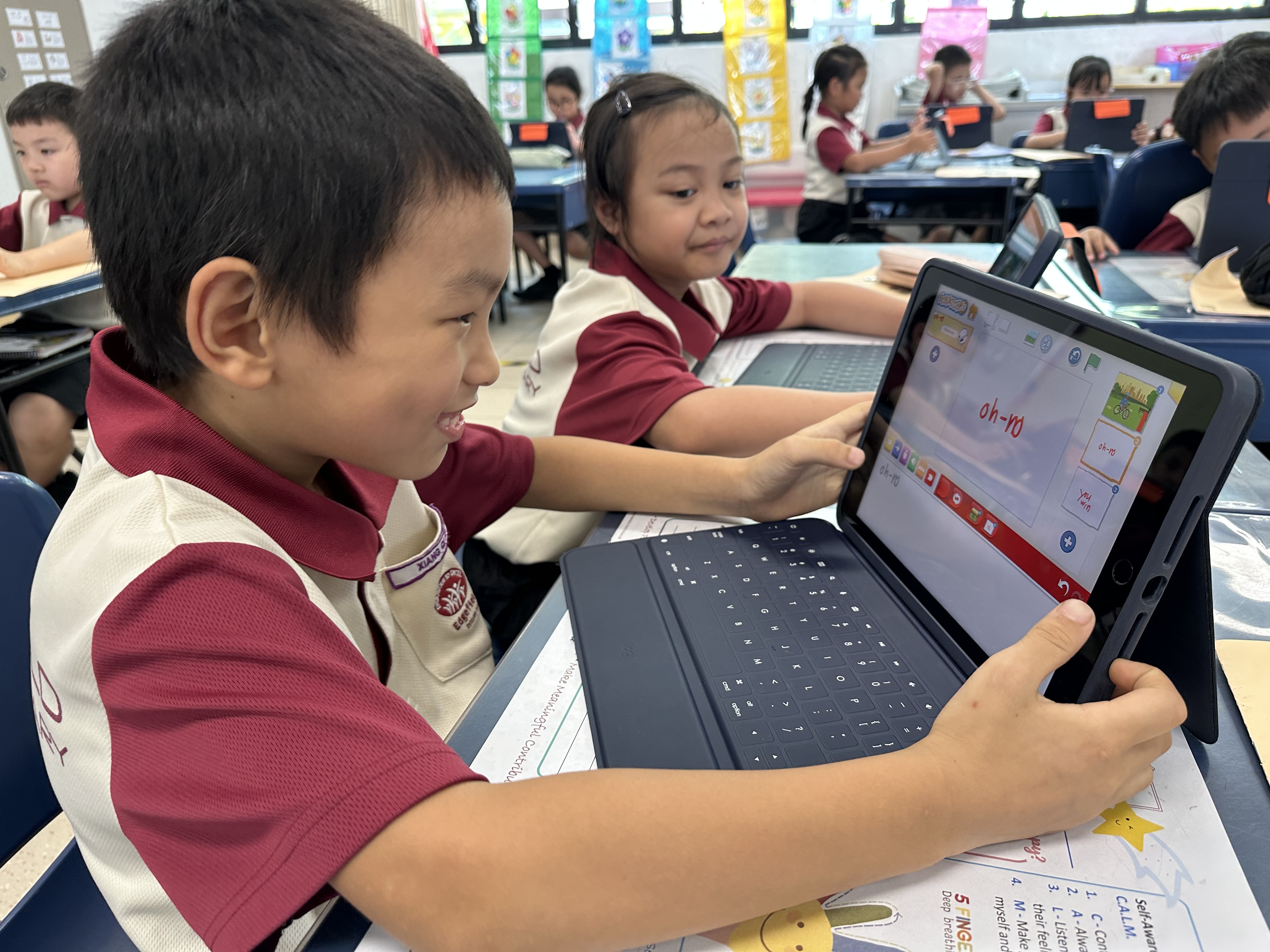
Bringing ideas to life! A student explores block-based coding on ScratchJr, building creativity, computational thinking and problem-solving skills—one block at a time.
Students are introduced to basic coding concepts through ScratchJr, a visual block-based programming platform. Working individually and collaboratively, they create a digital artefact related to environmental sustainability.
Through the programme, students learn to:
-
Create step-by-step instructions to solve simple problems.
-
Break down problems into smaller, manageable parts.
-
Recognise patterns and apply basic algorithmic thinking.
-
Use sequences, loops and repetitions to animate characters and objects.
-
Identify and correct simple coding errors through trial and improvement.
-
Collaborate effectively in pairs or groups.
Primary 3 and Primary 4: Google Workspace Learning
Students develop foundational digital productivity and communication skills using Google Docs and Google Slides. They learn to organise information, create purposeful digital content and present their ideas clearly to an intended audience.
Through the programme, students learn to:
-
Create, edit and format documents and presentations.
-
Organise and present information clearly and effectively.
-
Incorporate text, images and other media appropriately.
-
Demonstrate effective online search skills.
-
Practise safe, responsible and ethical use of online information.
-
Collaborate with peers using shared digital tools.
-
Communicate respectfully and provide constructive feedback.
Primary 5: mBlock Coding and AI Fundamentals
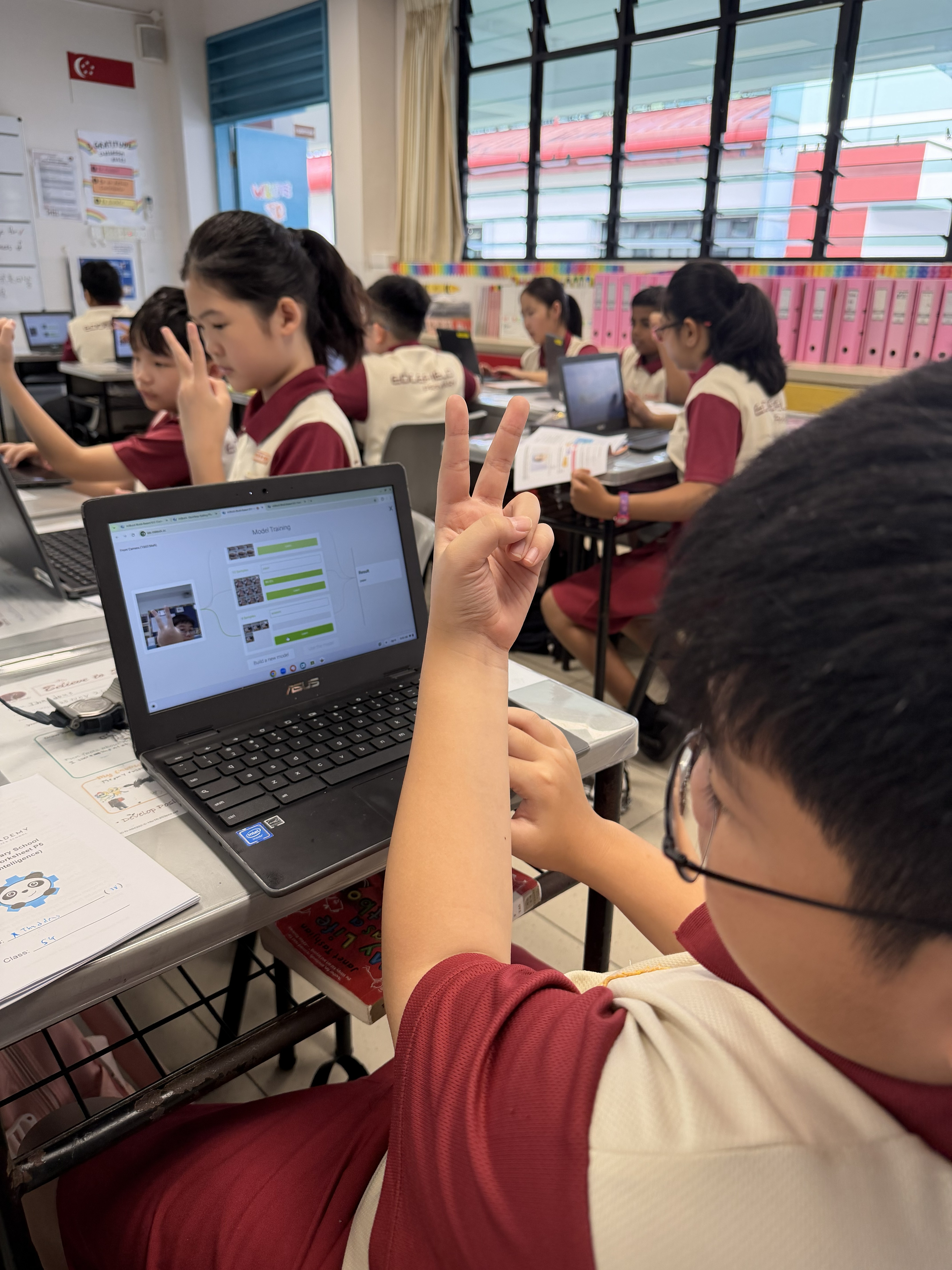
Coding meets AI! Our Primary 5 student brings the classic Scissors, Paper, Stone game to life using mBlock’s AI features.
Students build upon their computational thinking skills through mBlock coding and guided, age-appropriate vibe-coding experiences. They design a digital artefact linked to environmental sustainability while exploring fundamental concepts in Artificial Intelligence.
Through the programme, students learn to:
-
Decompose problems, recognise patterns and plan algorithms.
-
Apply programming concepts such as loops, conditionals and variables.
-
Debug, test and refine their solutions.
-
Develop organised, modular and readable coding habits.
-
Understand what AI is, how it learns and some of its common applications.
-
Demonstrate effective search skills and practise safe and ethical online behaviour.
-
Use appropriate digital communication tools to share information with an intended audience.
-
Collaborate effectively in pairs or groups.
Primary 6: Code for Fun
The Code for Fun programme provides students with opportunities to deepen their computational thinking and apply coding concepts to authentic challenges. Through hands-on activities, students design, test and refine technology-based solutions while strengthening their creativity, resilience and problem-solving skills.
Our Impact
Developing Future-Ready Competencies
Across all levels, students are encouraged to demonstrate Creative, Adaptive and Inventive Thinking (CAIT) throughout the learning process. They are given opportunities to:
-
Explain their reasoning and reflect on their learning.
-
Consider different perspectives and adopt varied strategies.
-
Generate, modify, evaluate and refine their ideas.
-
Collaborate effectively towards shared goals.
-
Communicate respectfully while exchanging ideas and co-constructing knowledge.
Through these progressive learning experiences, the EDGE Digital Literacy Programme nurtures confident, responsible and creative users of technology who are prepared to thrive in a rapidly evolving digital landscape.